


Disclaimer: We are an independent, fan-made Earth 2 website. This website is intended for informational purposes only and should not be understood or construed as financial advice.
Many people have spent a while moving around the map to pin-point a location, but using coordinates allows you to pin-point it much, much quicker.
Add to this the autofill search feature not always bringing up the place, it makes coordinates a great option.
In this quick guide, we'll show exactly how you can find coordinates for any landmark or location.
Using Google Maps to Find the Coordinates
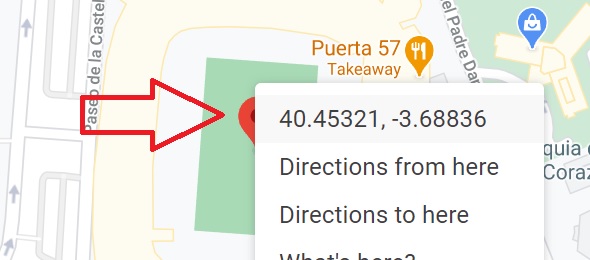
To find a places coordinates, go to Google Maps and search for the place. A marker will then show over the map, right click this marker on desktop (or hold on mobile). Find the coordinates and click on them to copy on desktop, or hold and copy on mobile. Paste them to add directly to Earth2.io's Buy Land search feature.
On mobile the coordinates will display after scrolling down the place listing. You will need to copy them one by one (Latitude, then Longitude) and then paste them into Earth 2, seperating them by a comma.
To demonstrate this step-by-step, let's use the example of Real Madrid's stadium, the Santiago Bernabéu.
Finding Real Madrid's Stadium Using Coordinates in Earth 2
Typing in 'Real Madrid' into Earth 2's search feature currently brings up no results for the stadium.
Therefore, instead of spending time scrolling around the map, you can follow these simple steps;
1. Type 'Real Madrid Stadium' into Google Maps and click return or select the autofilled option that matches your intended result. If you know the stadium name, you can type that instead.

2. Find the Pin on the map.

3. Right click on the Pin on desktop, or hold it on mobile, and then click on the coordinates. This will copy and paste them, ready to enter into Earth2.io.
You will need to scroll down the place listing on mobile and copy the coordinates one by one (Latitude, then Longitude).
4. Head over to the Earth 2 'Buy Land' search feature and enter the coordinates. You will see the autofill which you can click (highlighted in green).
Seperate the Latitude and Longitude coordinates with a comma if using a mobile device.

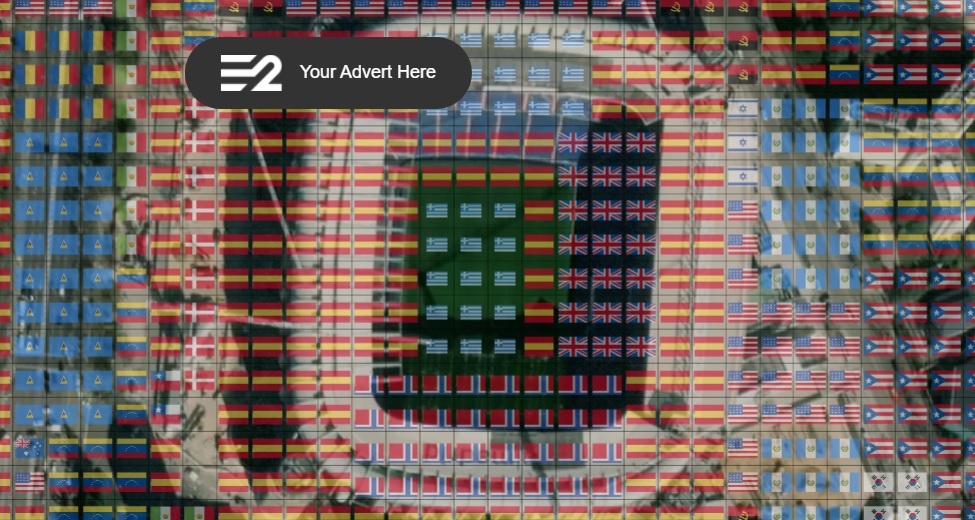
5. Clicking the highlighted coordinates will bring up Real Madrid's stadium on the map.
Conclusion
Whenever the Earth 2 search feature doesn't pick up the intended search result, we've had great success using this method to speed up the bidding process.
Let us know if this helps you in the comments below. If you want to learn many more tips, check out our Ultimate Beginner's Guide to Earth 2.
Receive 5% credit back into your account on new tile purchases with the referral code: FQ6FN26UAI


