


Disclaimer: We are an independent, fan-made Earth 2 website. This website is intended for informational purposes only and should not be understood or construed as financial advice.
If you are looking to claim ownership of new virtual land in Earth 2 at a discount you are in luck!
The digital grid spans the entire globe, offering the opportunity to own digital assets and property in the form of 10mx10m tiles.
For a limited time only a 7.5% referral code is available!
When you use another person's referral code to purchase NEW tiles (not User to User sales), BOTH of you receive a 7.5% credit of the purchase amount.
Using the following code when making a purchase of NEW LAND will give you 7.5% bonus credit into your Earth2.io account:
MAXOFFER
How to Use the earth2.IO Referral Code for a 7.5% Discount
1. After clicking on 'Buy Land', search for the location where you want to buy tiles. For example, 'Paris' or 'New York'.
2. Once you have chosen your tiles, click 'Buy Now'.
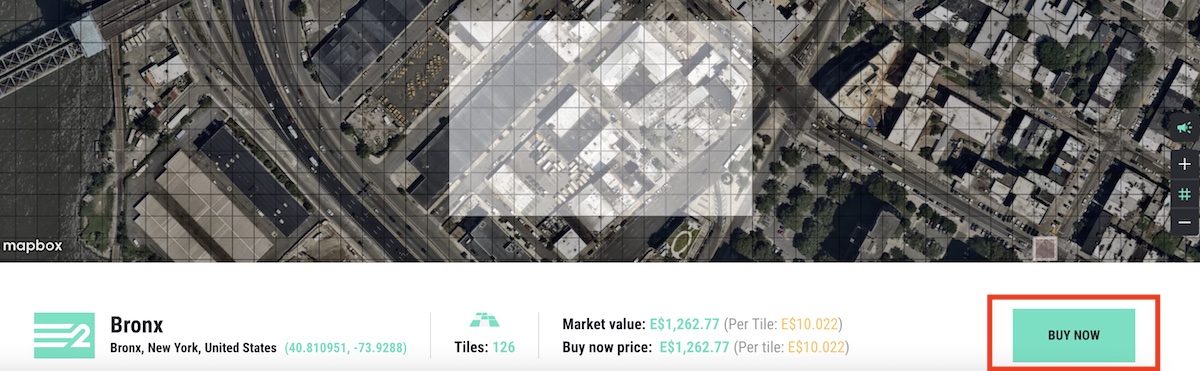
3. Enter the Earth 2 Referral Code in the box. In this case; MAXOFFER and click 'Apply'.

4. Once applied, it will confirm the credit amount you will receive with 'You'll be credited: E$...'
In this case, we will receive E$94.71 on a 1,262.77 USD purchase, which is the equivalent of a 7.5% voucher.
Note: You cannot use your own referral code when making purchases on new land.
5. Click 'Pay With Account Balance', 'Pay With Credit Card' or Pay With Crypto' and follow the steps.
7.5% Referral Code Terms
Once you have found the 'Referral Code:' section, the following terms are displayed below your code:
Share your “T1” referral code with others! When another person use your referral code to buy NEW LAND you will BOTH receive 7.5% credit off the purchase amount!
Earth2.io (within 'Settings').
Where to Find My Earth 2 Referral Code?
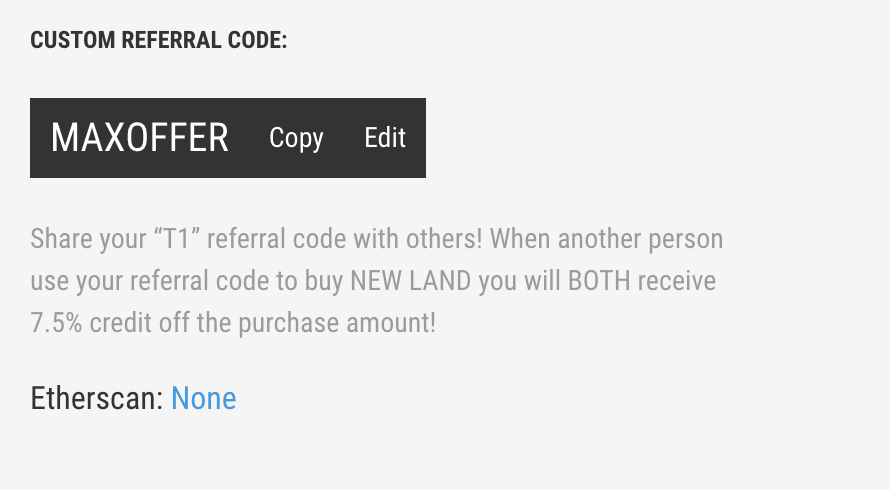
Once you have logged into your Earth2.io account, you can locate your 7.5% referral code by clicking on 'Settings' and then towards the bottom of the page you will find 'Referral Code:'. Copy the code and share it with others.
If you are on desktop, to locate 'Settings' you need to click on your username in the top right corner.
On mobile, you can find 'Settings' by clicking on the burger navigation menu in the top right corner.
We highly recommend reading our in-depth guide on how Earth2.io works, along with all the features explained.
If this guide helped you, consider sharing it. Please let us know in the comments if you have any questions.


